
Most people point AI at their inbox to help write emails. That’s the smallest slice of the job. The expensive part isn’t typing, it’s what slips: the quote nobody followed up on, the question that sat for three days. In my newest video I hand my inbox five specific jobs, ranked by money, not by what’s flashy.
Start with what’s slipping
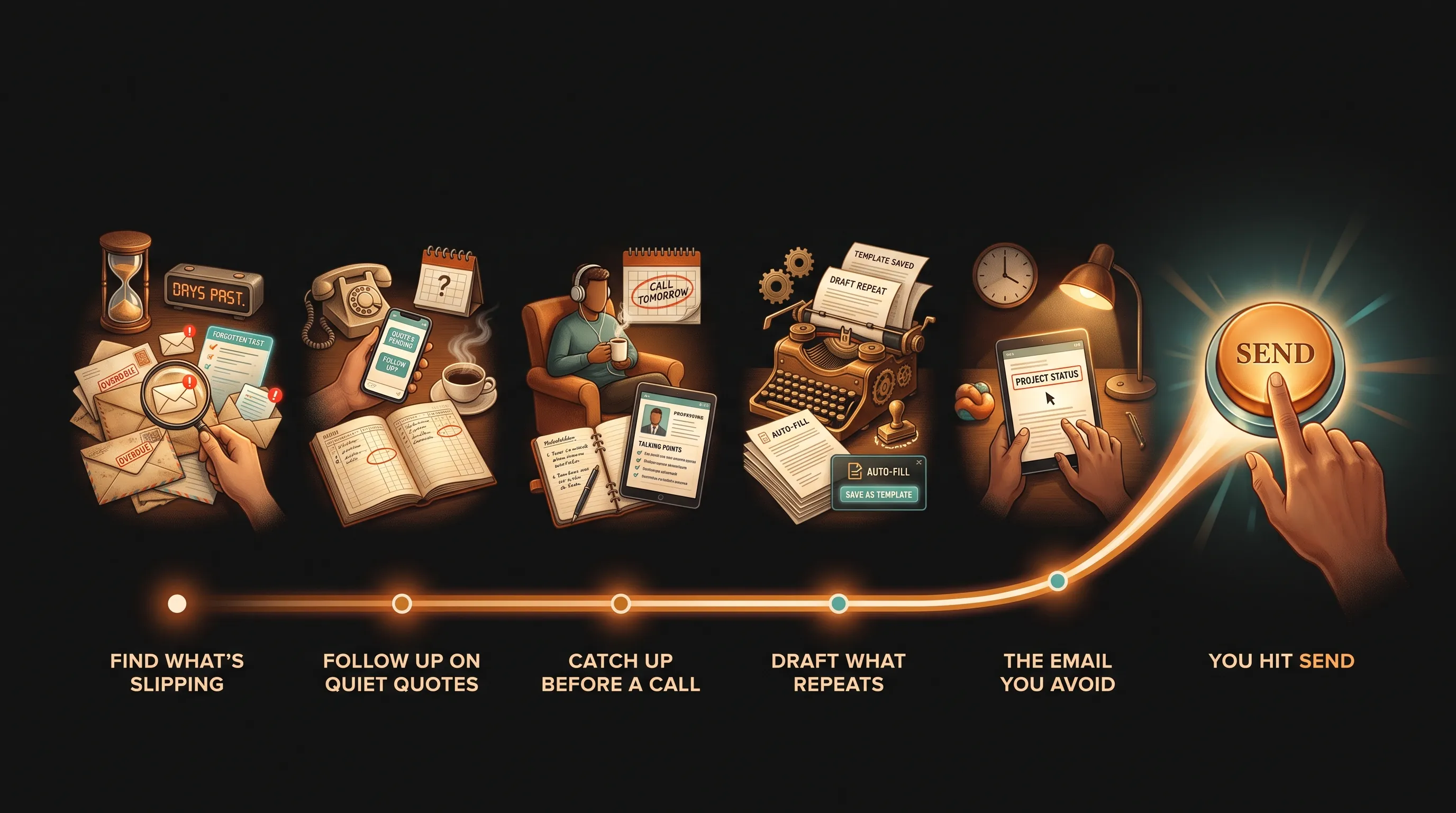
The shift that matters is that an AI employee can now read your whole inbox, not just help you type into it. Job one: ask which emails from clients or leads in the last seven days are still waiting on you. The trick is to ask for unanswered emails, not unread ones. Your inbox already shows you unread. The ones that cost you are the ones you opened, meant to answer, and forgot.
Job two is the silent quote. Most quotes don’t get a no, they get silence, and the follow-up is the easiest thing to skip. Have the AI employee draft a short note for each quiet quote with one easy yes-or-no question. “Still planning to start this spring?” gets answered from a phone at a red light. “Any update?” makes the client do the work, so it sits. This is the same leak behind the 200 emails nobody wanted to send.
Catch up before the call, draft what repeats
A single project can sprawl across forty emails. Before a call, ask the AI employee to read the thread and tell you what you agreed, what’s open, and what you owe next, with the source email for each point so you can trust it. A normal summary tells you what was said. This one tells you what you owe.
Then there’s the reply you send every week. When one email asks three things at once, feed the AI employee your standard answers so the draft sounds like you, and read every draft for promises, not commas. It sounds just as sure when it’s wrong as when it’s right. Speed matters here too. The lead-response research is blunt: you’re about 21 times more likely to qualify a lead when you answer within five minutes instead of thirty, which is the whole case for chasing the follow-up you’d normally drop.
The send button stays human
The fifth job is the email you’ve been avoiding: the upset client, the invoice sixty days late. Write what you actually want to say, then ask the AI employee to make it calm and clear, keep every fact, and add no new promises. That last instruction is the whole job. When AI smooths things over, it quietly offers a discount or a new date you never put on the table.
One more thing about letting AI read your inbox: an email can hide instructions aimed at the AI. Treat emails as something to read, never to obey, and never let the AI employee send on its own. It drafts, finds, and lists. You decide and you hit send. If you want to map which parts of your inbox are worth handing off first, that’s a free assessment.